How SmartTrace works
From the delivery van to the customer's shelf, in the order a working day actually happens.
Set up once, with us
Sign up and we ring you. Together we set up your stages, ingredients, suppliers, customers and recipes. Usually under an hour.
Record deliveries
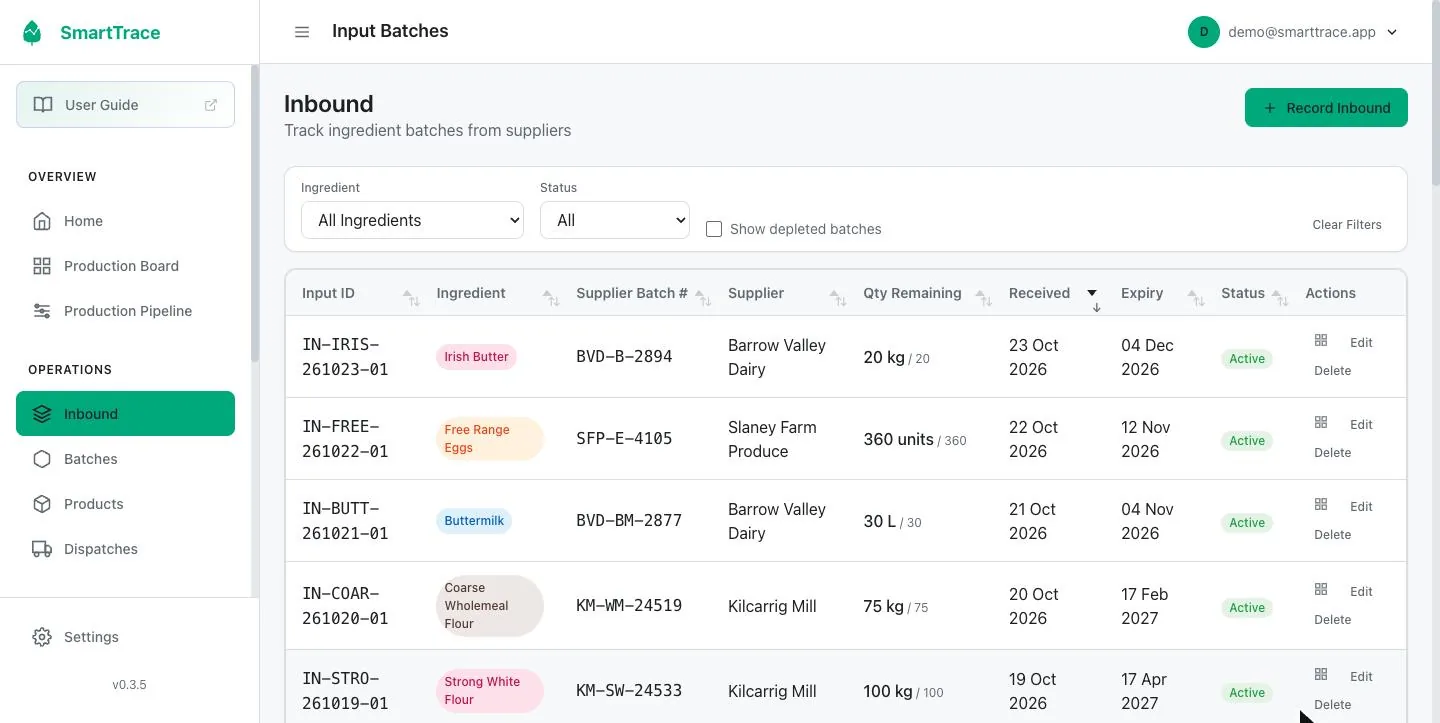
Scan the label when it arrives. Lot number, quantity and best before go on the record.
Make batches
Pick a recipe, say how many, allocate the deliveries. Move the batch through your stages.
Dispatch and trace
Record what went to whom. When you need to know where something went, type in the lot or batch and SmartTrace gives you the full report in seconds.
Set up your kitchen once
We do this part with you on a call, free, so it's right from the start. It covers the things that don't change much: the ingredients you buy, who you buy them from, who you sell to, your production stages, and your recipes. A recipe is a list of ingredients and quantities for a standard batch, plus a shelf life if you want one on the record.
- Ingredients can carry a minimum stock level and a usual order size
- Recipes scale automatically when you make more or less than the standard batch
- Name your production stages to match how you work
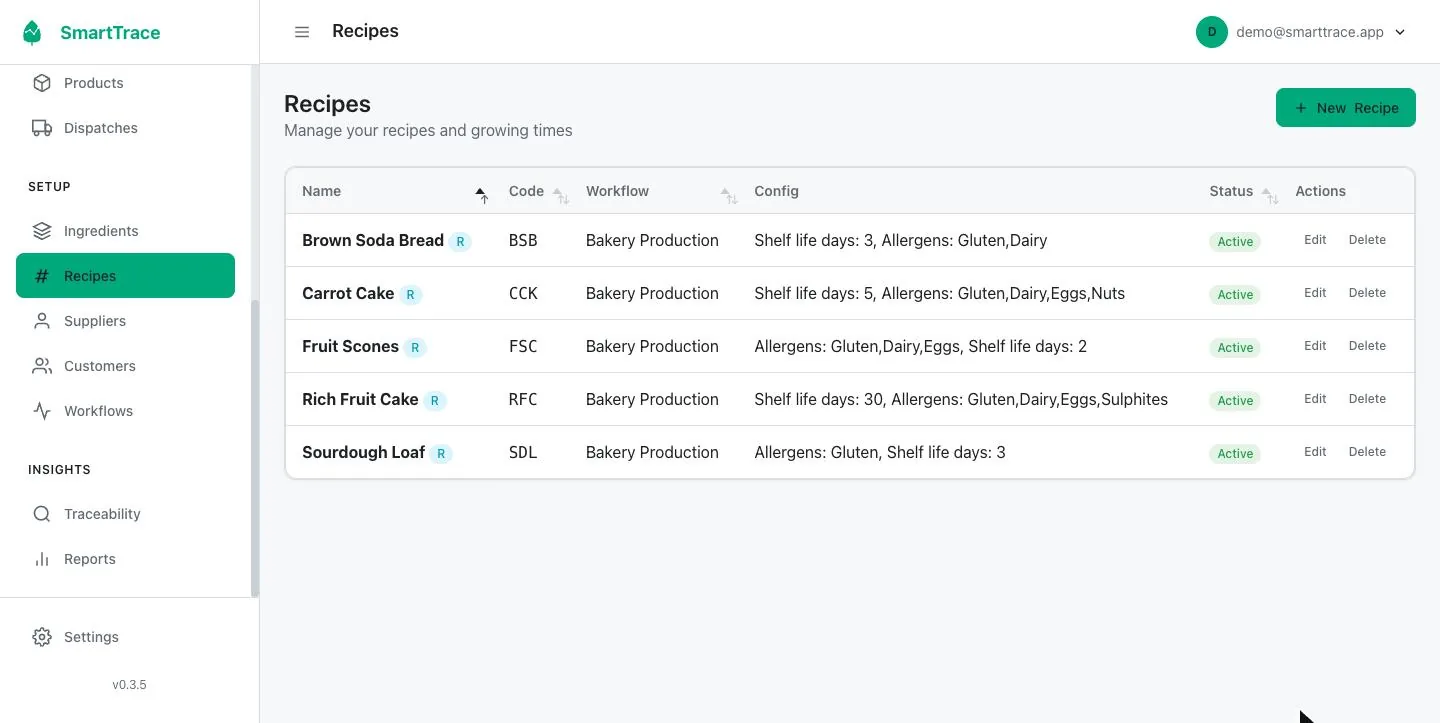
What's a workflow, and why does it matter?
A workflow is the list of stages a batch moves through from start to finished. Bakery: Preparation, Baking, Ready. Microgreens: Sown, Growing, Ready to harvest, advancing on their own after set days. Cook chill: Preparation, Cooking, Chilling, Portioning, Ready. Every batch sits at one stage, the production board shows them in columns, and the ready dates and reports are worked out from it.
Getting the stages right for your production is the single most important part of setup, which is why we do it with you on the call rather than leaving you to guess. More on why we set it up together.
Record a delivery in under a minute
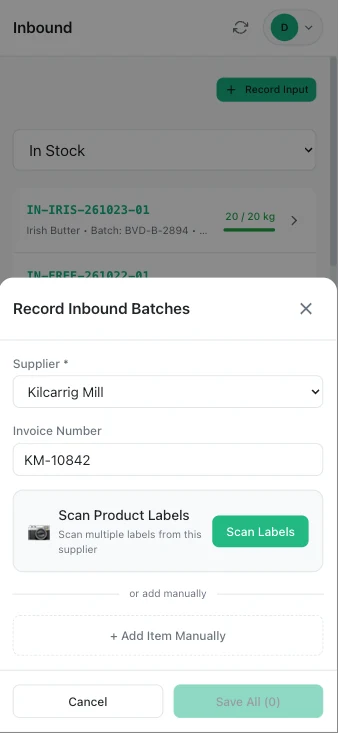
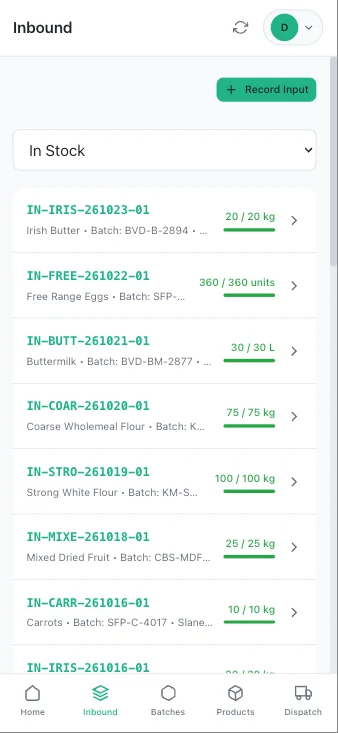
On the phone, tap Record Inbound, choose the supplier and point the camera at the label. SmartTrace reads the product name, lot or batch number and best before date and fills them in. Check them, adjust the quantity, save. You can also type a delivery in by hand.
- Several items from the one supplier go on the one delivery
- Each item gets its own ID and, if you want, a printed label
- Stock levels update immediately
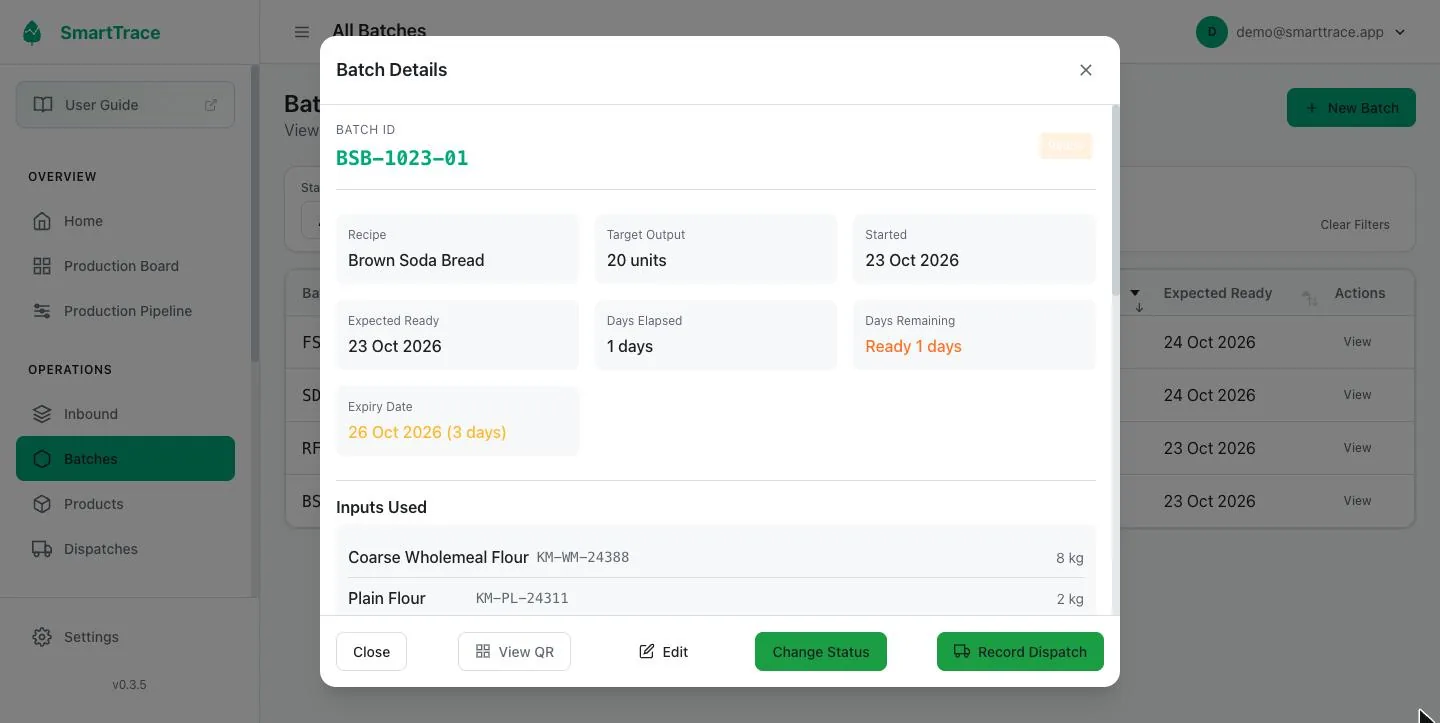
Start a batch from a recipe
Tap New Batch, pick the recipe and how many you're making. SmartTrace lists each ingredient with the amount needed and asks which delivery it came from. Scan the bag or pick it from the dropdown. If you're short, it says so.
The batch gets an ID, a label and a place on the production board. As the day goes on, move it along: into the oven, out to cool, ready for sale. Every move is timestamped.
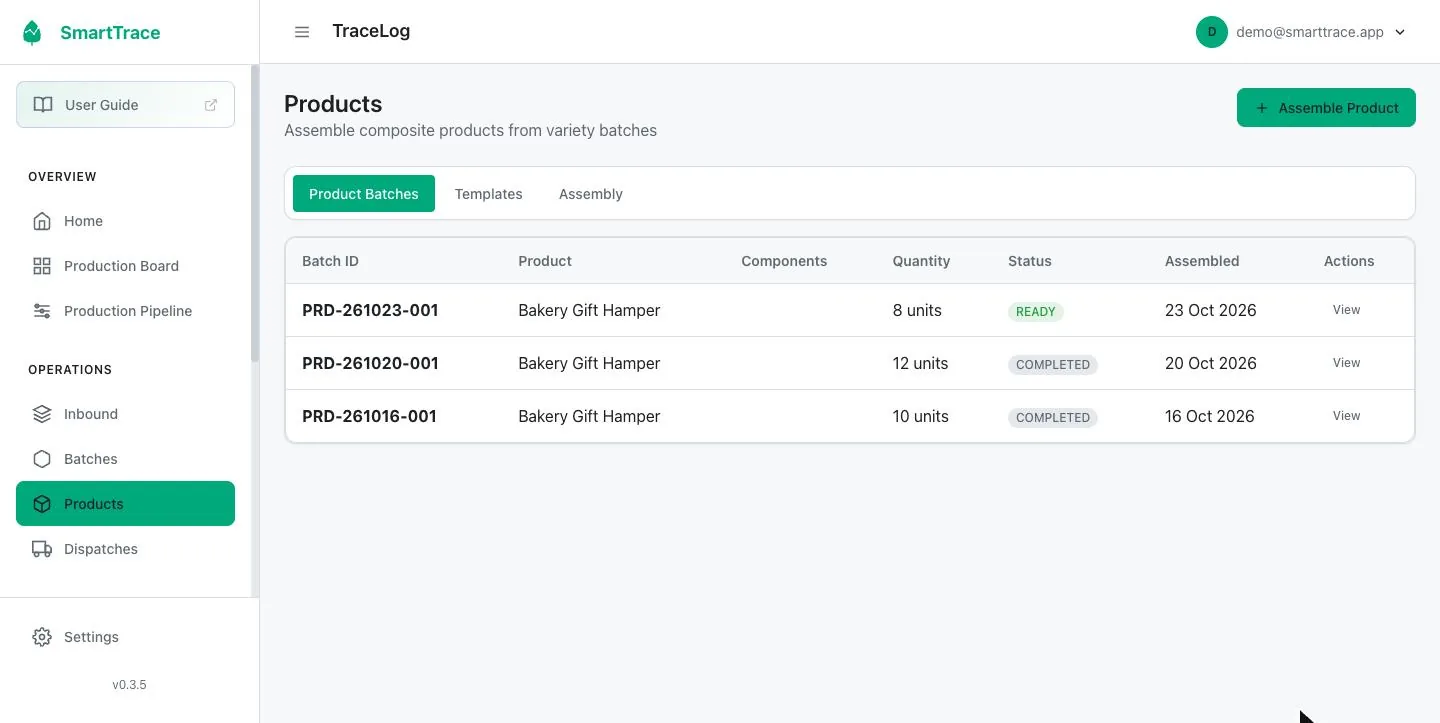
Build products from several batches
A gift hamper, a mixed salad box or a meal kit is made from several batches at once. Set up the product once with what goes in it, then assemble as many as you need. SmartTrace takes the right amounts from each batch and the trace follows every component.
Record what went out and where
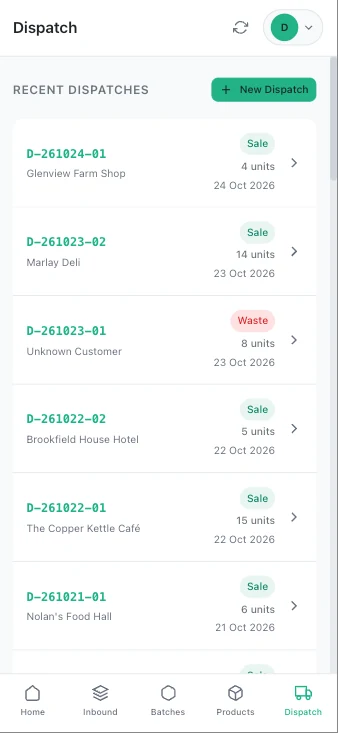
Choose the customer, pick the batches and quantities, save. Waste and shop use are dispatches too, with their own type, so your output always adds up to what you made. When a batch is all gone it completes itself.
Trace in either direction
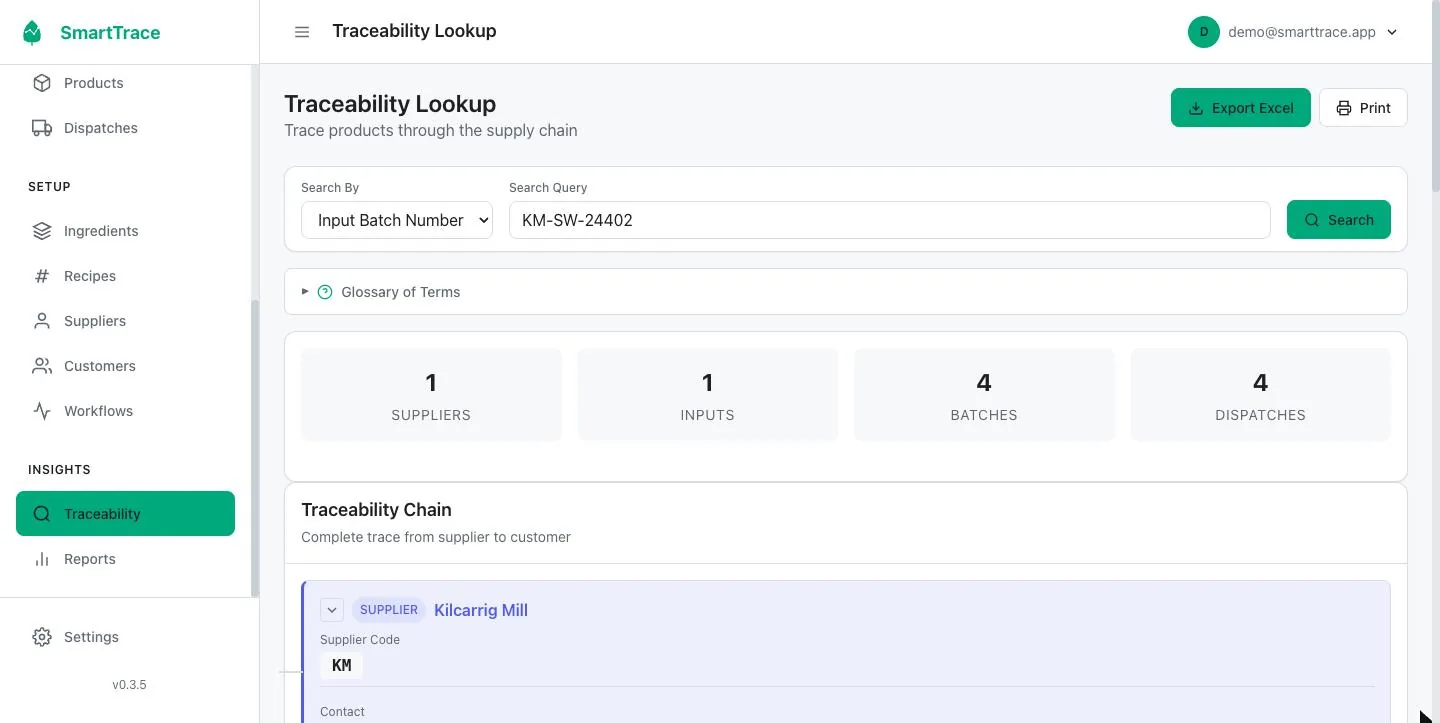
Type in a supplier lot number, batch ID, product, ingredient, customer or dispatch, and SmartTrace builds the full report for you in seconds: the supplier, the delivery, every batch that used it, every dispatch and the customer who received it. Print it or export it to Excel.
Start from a customer complaint and it works backwards to the suppliers just as quickly.
Phone and desktop: which does what
One account, one set of records. SmartTrace shows the phone app on a small screen and the full desktop on a big one. You never choose, and nothing needs syncing.
Phone and tablet
For whoever is doing the work
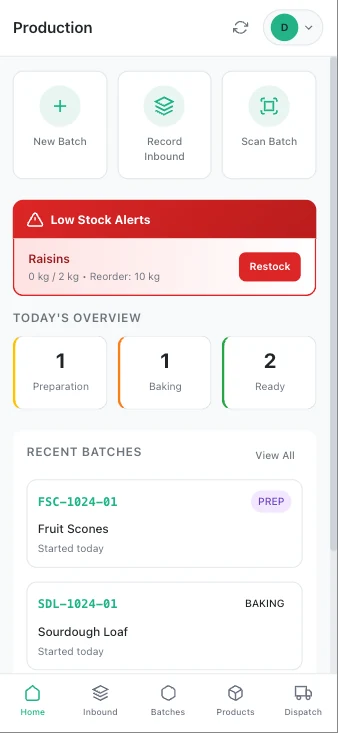
Big buttons, one job per screen, easy to use with floury hands. Everything a person on the floor needs and nothing they don't.
- Home screen with today's batches and alerts
- Record deliveries, with camera label reading
- Start batches and move them through stages
- Assemble products
- Record dispatches
- Scan any label to open its record
- Print labels to a Bluetooth printer
- Quick traceability report
Laptop and desktop
For whoever runs the business
Tables you can sort and filter, the full production board, reports and all the setup. The place to answer questions and do the admin.
- Dashboard with counts and alerts
- Production board and pipeline view
- Deliveries, batches, products and dispatches in full
- Ingredients, recipes, suppliers, customers, stages
- Instant traceability reports with print and export
- Production, dispatch and usage reports with CSV
- Team members, roles and account settings
Labels, scanning and a €65 printer
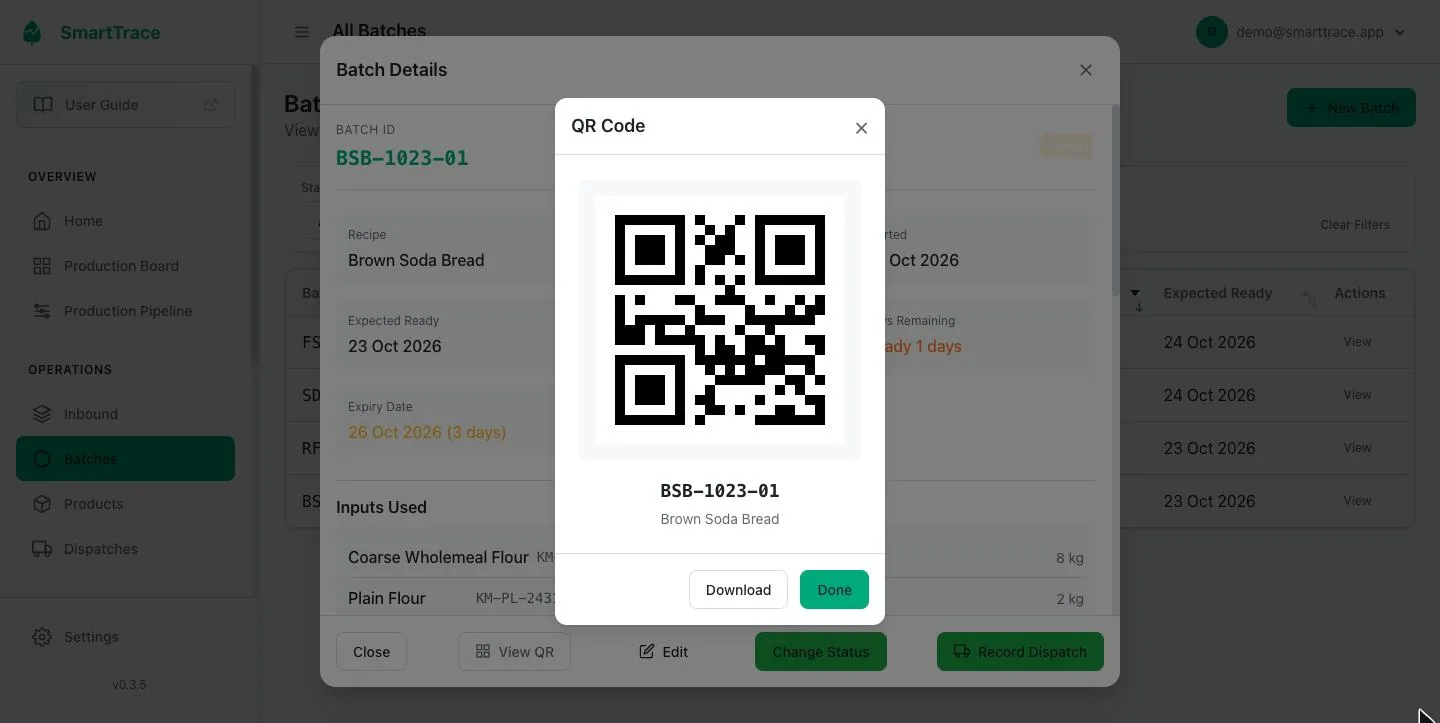
Every ingredient delivery you receive and every batch you make can have its own QR label. Scan it with the phone's camera instead of picking from a list. No typing, no misreads.
Stick a label on the sack of flour when it arrives, and when you start a batch you just scan the sack and SmartTrace knows exactly which delivery went in. Scan a batch label to open its record or add it to a dispatch.
The printer we recommend
The Phomemo M221 is a small Bluetooth thermal label printer. It needs no ink, runs on a battery, takes 50 mm wide labels, and is sold by lots of shops around Europe for about €60 to €70. Labels cost a few cent each. That's the whole hardware bill.
How printing works
The printer pairs with an Android phone or tablet running our free Print Service app. When anyone on your team saves a delivery or a batch, on any phone or computer, the label prints by itself straight away. We built it that way because it's much quicker than printing from a web browser.
Linking the printer is the one slightly fiddly part of SmartTrace, so we do it with you on the setup call. Once it's linked it needs no looking after. One Android device prints for the whole team, so anyone with an iPhone doesn't need anything extra.
- Label printer
- Phomemo M221, about €60 to €70
- Labels
- 50 × 80 mm thermal labels, a few cent each
- Printing
- Automatic, through our free Print Service app on an Android phone or tablet
- Without a printer
- Download any label and print it on an ordinary printer
- Scanning
- Any phone or tablet with a camera
- Label reading
- Photograph a supplier's label and SmartTrace reads it
Questions about using SmartTrace
Do I have to use the recipes?
No. Recipes are the quickest way to start a batch because they list what you need, but you can also add ingredients to a batch one at a time, by scanning or picking from the list.
Can I change the production stages?
Yes. The stages a batch moves through are set up for your business. A bakery might use Preparation, Baking, Ready. A grower might use Sown, Growing, Ready to harvest. You can also have stages advance automatically after a set time.
What if a delivery is used across several batches?
That's normal and SmartTrace is built for it. Each batch records how much it took from each delivery, the delivery's remaining stock goes down, and a trace on that delivery shows every batch it touched.
What if a batch goes to several customers?
Record a dispatch for each customer with the quantity they got. The batch shows how much has gone out and how much is left, and completes itself when it's all gone.
Can two people use it at the same time?
Yes. Everyone on your team has their own login and sees the same records as they're made. You can limit what each person can do.
Do I need a label printer?
No, but it makes day to day work quicker. With labels on your ingredients and batches you scan instead of picking from lists. We recommend the Phomemo M221, about €60 to €70, which prints automatically through our free Android app whenever a delivery or batch is saved. We link it with you on the setup call.
Does the phone app need to be installed from an app store?
No. Open the website on your phone and add it to your home screen when prompted. It then opens like an app. It runs on iPhone and Android.
See it with your own products in it.
Sign up, we set up your recipes with you on a call, and you try it for a week with real deliveries and batches. Nothing to pay until you decide to keep it.